Table of Contents
Google Workspace MCP Servers: The Admin Governance Guide
Google Workspace gave AI agents a front door on November 24, 2026, and started closing the back one. Workspace MCP servers, the Workspace CLI, and a standardized usage-tier model went generally available that day, alongside new admin controls for agent access, per Google's announcement. The back door, direct REST API calls from an agent, gets bricked on February 1, 2027: agents that keep calling Gmail, Drive, or Calendar APIs instead of the MCP servers get capped at Standard Tier limits no matter what tier they paid for.
If you administer a Workspace org where anyone has connected Claude, Antigravity, or a homegrown agent to company email or Drive, this is not a feature announcement you can skip. It changes who has to flag their OAuth clients, what shows up in your audit log, and which agents you can block outright. Here is the obligation, the configuration it maps to, and what it still leaves unguarded.
What actually shipped
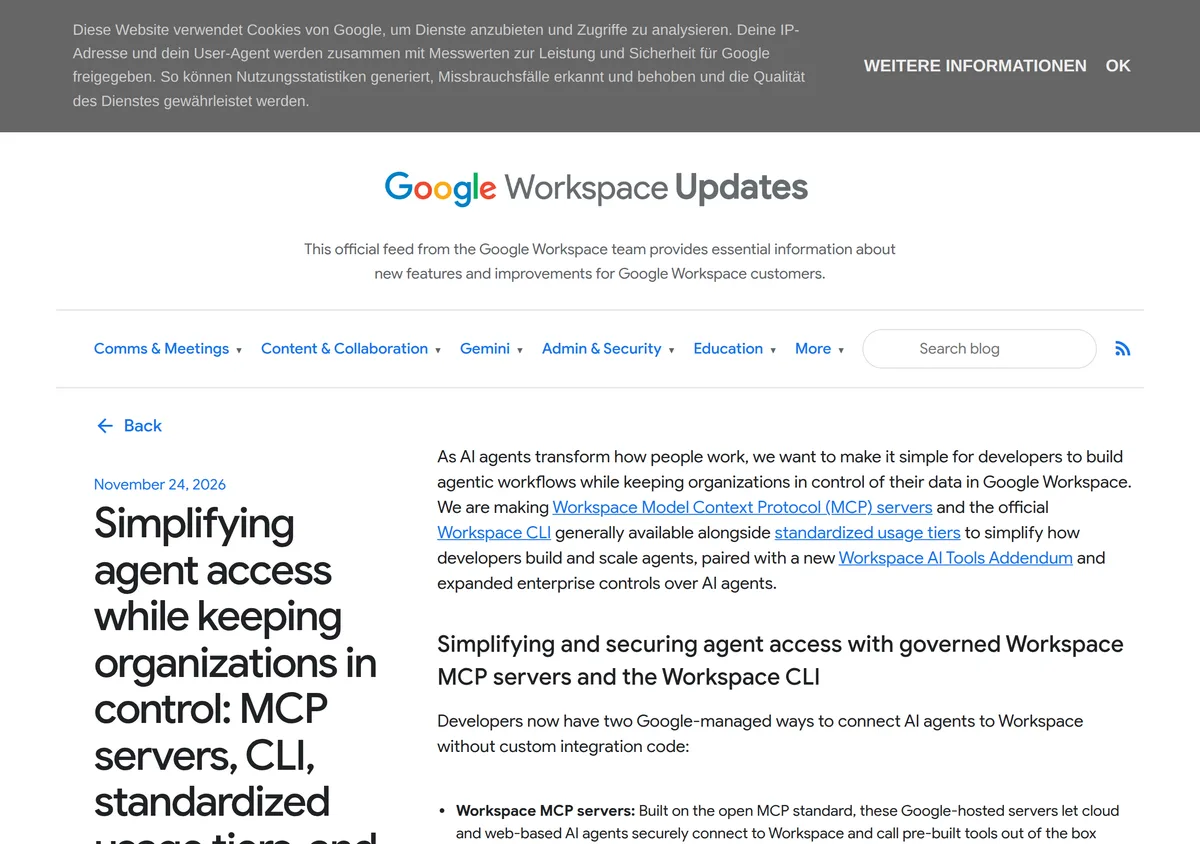 Source: workspaceupdates.googleblog.com, captured November 25, 2026.
Two new access paths and one new policy layer, all dated November 24, 2026 on Google's developer docs:
Workspace MCP servers. Google-hosted, one server per product, built on the open MCP standard: Gmail, Drive, Docs, Sheets, Slides, Calendar, Chat, Tasks, and Classroom, with Keep still pending, per Google's MCP configuration guide. A Universal Search server at workspacemcp.googleapis.com queries Gmail, Drive, Calendar, and Chat in one call. Each server inherits the connecting user's own permissions; it is not a service account with broader reach.
The Workspace CLI (gwscli). A terminal client Google describes as connecting coding agents including Claude Code, Codex, and Antigravity to Workspace data, per the CLI docs. It ships packaged agent skills you install with gwscli skills install --dir ~/.claude/skills (or any shared skills folder), discovers commands at runtime, and can itself run as an MCP server scoped to a subset of services. Running it costs nothing extra; usage counts against the same project quota as the hosted MCP servers.
Standardized usage tiers. Every GA MCP server and the three affected REST APIs (Gmail, Calendar, Drive) now sit on one of two tiers, per Google's tiering docs, captured below as published November 24, 2026.
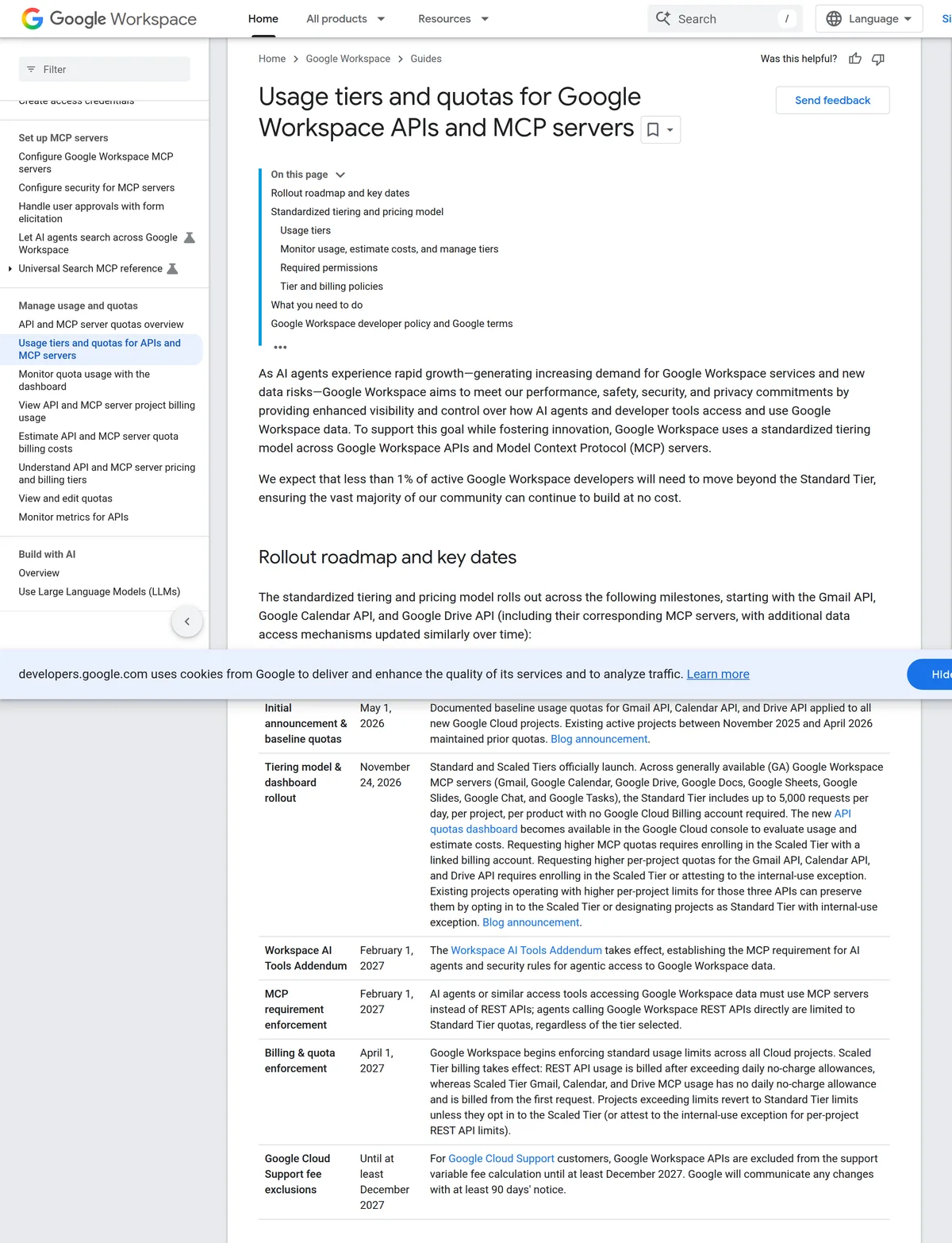 Source: developers.google.com, captured November 25, 2026.
| Tier | Cost | Cap | What changes April 1, 2027 |
|---|---|---|---|
| Standard | Free, no Cloud Billing account needed | 5,000 requests/day per project per product, plus per-minute limits | Stays free; project throttles if it exceeds the cap |
| Scaled | Requires a linked, active Cloud Billing account | Higher quota, submitted by request | Gmail/Calendar/Drive MCP usage is billed from the first request. REST usage bills only past a daily no-charge threshold |
Google puts the number at under 1% of active developers currently exceeding Standard Tier limits, per its usage-tiers page, so most orgs will not touch billing. The clock that matters is the other one: MCP becomes mandatory for agent access on February 1, 2027, and agents still hitting REST APIs directly after that date are held to Standard Tier limits regardless of which tier the project is on.
Who can turn this on, and how
Admin control lives in the Admin console under Security > API Controls, documented in Google's admin help center, which is the same place admins already manage third-party app access. From there you can see every agent that has requested access, set human-in-the-loop confirmation rules, and pull the audit log. Nothing here requires a new Workspace edition; it is an extension of the access-control surface every edition already has.
Two roles matter, and they are not the same role:
The Workspace super administrator enables the Standard Tier's internal-use exception for projects used only inside your org, letting them keep higher REST quotas without moving to Scaled Tier billing, per Google's quota-usage-tiers docs. That permission does not extend to MCP server quotas; those only scale through Scaled Tier.
The Google Cloud Billing Admin is who links the billing account that puts a project on Scaled Tier, a separate permission (billing.resourceAssociations.create) from anything in the Workspace admin console. If your agent platform team owns the Cloud project and your IT admin owns Workspace, both of them now have a job on this rollout, and the handoff between them is exactly the kind of gap a security review will probe.
Developers connecting an agent must mark its OAuth client Use this client for an AI-powered agent in the Google Auth Platform, separate from any client used for non-agent features, per Google's agentic-client documentation. This is the flag that makes an agent visible to admin policy in the first place; an agent on an un-flagged client is invisible to the controls below.
Which agent clients actually work today
| Client | Status today | Setup |
|---|---|---|
| Google Antigravity (2.0, IDE, CLI) | Native MCP config | Add server URLs to mcp_config.json, per Google's Antigravity setup steps |
| Workspace CLI agents (Claude Code, Codex) | Native via gwscli | Install CLI, run gwscli skills install, authenticate once |
| Claude.ai / Claude Desktop | Supported, plan-gated | Requires Claude Enterprise, Pro, Max, or Team; configured as a custom connector with a manually created OAuth client, per Google's Claude setup steps |
| Any other MCP-capable client | Supported generically | Manual entry of server URL, Streamable HTTP transport, OAuth 2.0 with the agent flag |
Claude Free does not get a path here; the paid-plan gate sits on Anthropic's side, not Google's. Gemini CLI is not named as a supported client in Google's own MCP or CLI documentation as of this writing, despite trade coverage describing it that way; if your org runs agents on Gemini CLI, treat its Workspace access as the generic "any MCP client" row until Google documents it directly.
What the gate does not cover
Google's own docs flag the gap it leaves open, and it is worth reading in full because it undercuts the "governed" framing in the announcement's headline: indirect prompt injection. An agent connected through an MCP server still has the connecting user's actual read and write permissions, and a malicious instruction buried in an email or document can direct the agent to act on them exactly as the user would, per Google's security guidance. The MCP gate controls which agents can reach Workspace at all. It does not screen what those agents do once a session is live. Google points admins to its own Model Armor product or an equivalent screening layer for that, which means the February 2027 deadline closes the access door, not the injection one; if your threat model includes agents reading untrusted inbound email, that is a second control you still have to build.
What your security team will ask
| The question | The control that answers it | What you hand them |
|---|---|---|
| Can we see every agent that touched company data? | Admin console API Controls + audit logging | The agent access list and audit log export |
| Can we stop one agent without affecting others? | Per-OAuth-client access revocation | The specific client ID you revoked and the timestamp |
| Does a risky action need a human to confirm it? | Human-in-the-loop confirmation rules | The HITL rule set for sensitive actions (external sharing, deletion) |
| What stops an agent from acting on a poisoned email? | Nothing from Google's MCP gate alone | Your own injection-screening layer (Model Armor or equivalent), documented |
| Where does Workspace data go once an agent reads it? | The new Workspace AI Tools Addendum | The addendum text plus your agent's documented data-retention behavior |
The Workspace AI Tools Addendum, which takes effect February 1, 2027 alongside the MCP requirement, specifically prohibits using agents to scrape Workspace APIs or to retain certain data pulled through them beyond stated limits, the addendum text reads. That is a contractual constraint, not a technical one; nothing in the MCP server enforces it at runtime. Your audit trail is what proves you were on the right side of it if asked.
Does this change your risk, or just your paperwork
It changes real risk in one place and only relocates it in another. Centralizing agent access behind one OAuth flag and one admin console view is a genuine improvement: before this, an agent with a user's REST credentials was indistinguishable from any other third-party app, and most admins had no inventory of which agents could read email. Now you have a flag, a console, and a log. Revoking one agent's access no longer means rotating a user's whole credential set.
What it does not change is the confused-deputy problem. An agent still inherits the user's full read/write scope for whatever Workspace surfaces it is configured against, and the MCP gate does not narrow that scope or inspect what the agent does with it. If your current gap is "we don't know which agents can read our CEO's inbox," this rollout closes it by February 2027. If your gap is "an agent summarizing inbound email could be redirected by a hostile message," you still need Model Armor or a comparable screening layer that this announcement does not include.
The action items, in order: flag every agent OAuth client before February 1, 2027, so it is not throttled to Standard Tier the day enforcement starts; split the Workspace admin and Cloud Billing admin work now, since one role can grant internal-use REST exceptions and the other has to approve Scaled Tier billing; and treat the injection gap as a separate line item in your security review, because Google's own documentation says it is unsolved by this release.